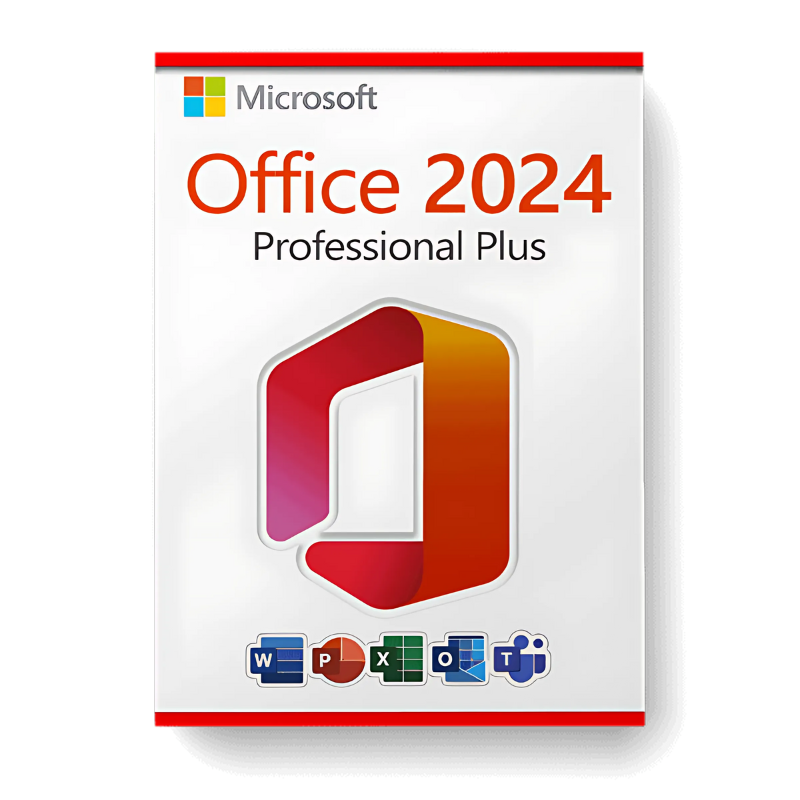
MS Office 2024 Pro Plus
47 $
Description
Microsoft Office 2024 Pro Plus is the latest standalone version of Microsoft Office for Windows users who want a complete productivity suite without a subscription. It is designed for professionals, businesses, and advanced users who need Word, Excel, PowerPoint, Outlook, Access, Publisher, and OneNote installed locally on one PC.
Unlike Microsoft 365, Office 2024 Pro Plus is purchased once and does not require monthly or annual payments. If you prefer a one-time license instead of a subscription model, this is the most current Office option available.
What’s included in your Office 2024 Pro Plus license
Your purchase includes one Microsoft Office 2024 Professional Plus activation key for one Windows PC. The suite includes the full desktop versions of Word, Excel, PowerPoint, Outlook, Access, OneNote, and Publisher. The applications are installed locally and can be used offline after activation.
If you are using an older Office version and want the newest standalone release, Office 2024 Pro Plus is the natural upgrade from Microsoft Office 2021 Pro Plus, Microsoft Office 2019 Pro Plus, or Microsoft Office 2016 Pro Plus.
Applications included
Microsoft Office 2024 Professional Plus includes the main desktop applications needed for document work, spreadsheets, presentations, email, databases, publishing, and note organization.
- Word 2024: document creation, editing, formatting, and writing tools
- Excel 2024: spreadsheets, formulas, data analysis, and charts
- PowerPoint 2024: presentations, slide design, and visual communication
- Outlook 2024: email, calendar, contacts, and task management
- Access 2024: database creation and management
- Publisher 2024: layouts, brochures, and marketing materials
- OneNote 2024: notes, organization, and planning
What is Office 2024 LTSC and why it matters
Office 2024 is built on the LTSC model, which means Long-Term Servicing Channel. In practical terms, it is a fixed and stable Office release made for users who want a one-time purchase instead of a constantly changing subscription.
This makes it a good choice for businesses and users who prefer locally installed software, predictable features, and no recurring payment. If you do not need cloud storage or continuous Microsoft 365 feature updates, Office 2024 Pro Plus is usually the better standalone option.
What is new in Office 2024 Professional Plus
Office 2024 brings useful improvements compared to older standalone versions. Excel includes improved functions, better analysis tools, and stronger chart options. PowerPoint adds improved presentation and design features, while Word and Outlook receive interface, formatting, accessibility, and productivity improvements.
If you already use Microsoft Office 2021 Pro Plus, Office 2024 is mainly worth considering if you want the newest standalone Office version. If you are still using Microsoft Office 2016 Pro Plus, the upgrade difference is much more noticeable.
Office 2024 Pro Plus vs Microsoft 365
| Feature | Office 2024 Pro Plus | Microsoft 365 |
|---|---|---|
| Payment model | One-time purchase | Monthly or annual subscription |
| Ongoing cost | No recurring payment | Recurring payment required |
| Apps included | Full desktop Office suite | Full desktop Office suite |
| Cloud storage | Not included | Usually includes OneDrive storage |
| Updates | Security updates only | Continuous feature updates |
| Best for | Users who want to pay once | Users who want cloud features and ongoing updates |
If you want a permanent desktop Office suite without subscription costs, Office 2024 Pro Plus is the stronger choice. If you need cloud storage, collaboration features, and constant feature updates, Microsoft 365 may be more suitable.
Who is Office 2024 Pro Plus for?
Office 2024 Professional Plus is best for Windows users who need the full Office suite and want to avoid subscription payments. It is especially useful for businesses, professionals, students, and advanced home users who want a stable productivity setup on one PC.
This edition is also useful if you need Access or Publisher, because they are not available in every Office edition. If you only need basic Word, Excel, and PowerPoint, an older version such as Microsoft Office 2019 Pro Plus may still be enough depending on your needs.
Compatibility and system requirements
Office 2024 Pro Plus is designed for Windows PCs and works with Windows 10 and Windows 11. For the best long-term setup, it pairs naturally with Microsoft Windows 11 Professional.
- Processor: 2-core, 2.4 GHz or faster
- RAM: 4 GB minimum
- Storage: 4 GB available disk space
- Operating system: Windows 10 or Windows 11
- Display: 1024 x 768 resolution minimum
- Internet: required for installation and activation only
This product is not compatible with macOS, Android, or Chromebook. If you need Office for an Apple computer, compare it with Microsoft Office 2021 Home & Business for Mac.
Before you buy
Before purchasing, confirm that your PC runs Windows 10 or Windows 11 and that you need the Professional Plus edition. If you need Access, Publisher, Outlook, and the full desktop Office suite, this version is a strong fit.
If you are unsure which Office version is right for your device or workflow, contact us before purchasing and we can help you choose the correct option.
Frequently Asked Questions
Does Office 2024 Pro Plus require a subscription?
No. Office 2024 Pro Plus is a one-time purchase and does not require monthly or annual subscription payments.
Does this require an internet connection to use?
An internet connection is required during installation and activation only. After activation, the desktop applications can be used offline.
Can I install this on more than one PC?
This license covers activation on one Windows PC.
Is this compatible with macOS?
No. Office 2024 Professional Plus is for Windows only. It is not compatible with macOS, Android, or Chromebook.
Browse more options in our MS Office category.
Reviews
Very easy and fast
Very easy and fast