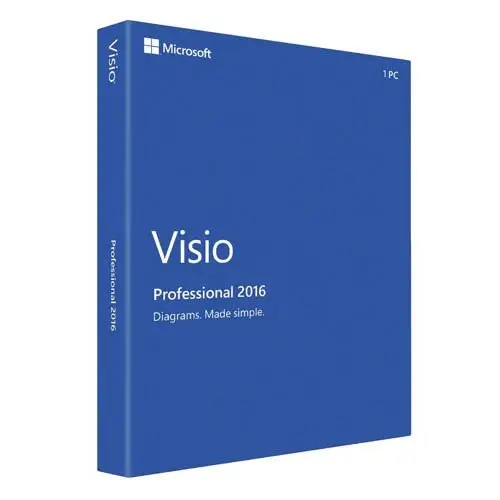
Microsoft Visio Professional 2016
25 $
Description
Microsoft Visio Professional 2016 is a fully featured standalone diagramming solution for professionals who need data-linked diagrams, a comprehensive template library, and reliable local performance without a subscription – get an affordable Visio Professional 2016 license key with a single one-time payment, no recurring fees. Browse our genuine Microsoft product license keys for all available products. Your MS Visio Professional 2016 product key is delivered by email, fast delivery after your order.
What’s included in your Visio Professional 2016 license
Your purchase includes one Microsoft Visio Professional 2016 key for one Windows PC. The key is unused and activates through Microsoft’s official servers. The license is a one-time purchase and does not expire after activation.
Microsoft Visio Professional 2016 features
Released alongside Office 2016, Visio Professional 2016 brought meaningful improvements over the 2013 version – particularly around data connectivity, shape libraries, and file security. It remains a capable diagramming platform for users who need the full Professional feature set at a lower price point than current versions.
Core capabilities include:
- One-step Excel data connectivity – connect shapes directly to Excel data with a single click, mapping columns to shape data fields automatically without manual configuration required in previous versions
- Data-linked diagrams – link shapes to live data from Excel, SQL Server, SharePoint Lists, Active Directory, and other sources; diagrams refresh automatically when underlying data changes
- Information Rights Management – IRM protection for Visio files, allowing you to restrict who can open, edit, copy, or print diagrams – not available in Visio 2013
- Modernized office layout shapes – refreshed office furniture, space planning, and workplace layout stencils for creating accurate floor plans and office arrangements
- Detailed site plan shapes – new granular site planning shapes for outdoor environments, landscaping, and site development diagrams
- Updated floor plan shapes – refreshed home and building floor plan stencils reflecting modern architectural standards
- IEEE-compliant electrical shapes – electrical diagram shapes compliant with IEEE standards for circuit diagrams and schematics
- UML 2.5 diagrams – component, communication, sequence, use case, class, and activity diagrams
- BPMN 2.0 support – business process model and notation diagrams
- Network and IT diagrams – rack, detailed network, Active Directory, LDAP directory layouts, Azure and AWS shapes
- Engineering diagrams – electrical, piping and instrumentation, fluid power, and process flow diagrams
- Diagram validation – rules engine validates diagrams against defined requirements and reports errors
- Sub-process support – break complex diagrams into linked sub-process pages for easier navigation of large workflows
If you need long-term security support or a more current template library, Microsoft Visio 2019 Professional is the recommended upgrade from this version.
Who is Visio Professional 2016 for
Microsoft Visio Professional 2016 is the right choice if you:
- Need data-linked diagrams that update automatically from Excel, SQL Server, or SharePoint
- Require IRM file protection for sensitive diagrams shared across your organization
- Create IT infrastructure, network, or engineering diagrams and need the full template library
- Work in an environment standardized on Office 2016 and need a matching Visio version
- Want a proven, affordable diagramming tool at the best price without subscription costs
- Are replacing an existing Visio 2016 license on a new machine
For project planning work that complements diagramming, Microsoft Project Professional 2016 is the matching version for Office 2016 environments and covers the full project management workflow alongside Visio.
If you experience any issues during activation, our team is available by email and will assist until your software is fully activated. We respond on the same day.
Frequently asked questions
Can I install Visio 2016 alongside Office 2021 or Office 2019?
No. Microsoft does not support mixing different version years of Office, Visio, and Project on the same device. Visio 2016 must be installed on a machine running Office 2016, or on a machine with no other Office version installed. If you have Office 2021, you need MS Visio 2021.
What data sources can I connect to with Visio Professional 2016?
Visio Professional 2016 supports data connections to Microsoft Excel, Excel Services, SQL Server, SQL Azure, SharePoint Lists, SharePoint Business Connectivity Services, and Active Directory. Data graphics can then display connected data visually as icons, color codes, or bar graphs directly on the diagram shapes.
Is there any difference in file format between Visio 2016 and newer versions?
No. Visio 2016 uses the VSDX file format which is also used by all versions from 2013 onward. Files created in Visio 2016 open normally in Visio 2019, 2021, and 2024 without any conversion required.
Should I buy Visio 2016 or upgrade to a newer version?
If you are running Office 2016 and need a matching Visio version for compatibility reasons, Visio Professional 2016 is the practical choice at the best price. If you are setting up a new machine or want long-term security support and a more current stencil library, upgrading to Visio 2021 or Visio 2024 Professional is recommended.
Browse more options in our MS Visio category.
Reviews
A true partner, always on time.
A true partner, always on time.
Product received as purchased. Good service.
Product received as purchased. Good service.
Great transaction. Will definitely do business with again.
Great transaction. Will definitely do business with again.
Great service and NEVER a problem. If I ask a question I receive a prompt response. A+++
Great service and NEVER a problem. If I ask a question I receive a prompt response. A+++